
Setting up a Ninja blender comes down to one rule: the pitcher and the lid must both be fully locked before the base will run. Seat the pitcher on the base, twist it clockwise until it locks, add the blade assembly, line up the lid and handle arrows, and press down until you hear a click.
Quick answer
Plug in the base, seat the pitcher in a diamond position, and twist clockwise to a square. Drop in the stacked blades, close the lid, and click the handle shut. Then press power. The safety interlock blocks the motor if any part is not locked.
- Pitcher goes on in a diamond orientation and twists clockwise to a square to lock.
- Lid triangle must line up with the triangle on the pitcher handle, then the handle presses down until it clicks.
- No power or no ready light usually means a part is not fully locked, not a dead motor.
- Always wait for the blades to stop, then unplug, before removing the pitcher.
- Register your blender at registeryourninja.com and find your manual in Ninja’s support area.
- Before First Use
- How Do I Set Up a Ninja Blender for the First Time?
- Which Way Should the Ninja Pitcher Face on the Motor Base?
- Model Differences at a Glance
- How Do I Get My Ninja Blender to Work?
- Worked Example: A Smoothie From Start to Finish
- Troubleshooting Common Problems
- Why Isn’t My Ninja Blender Blending?
- Why Is My Blender Not Opening?
- How Do I Safely Stop, Remove, and Clean the Pitcher?
- How Do I Register My Ninja Blender?
- What Do Owners Say?
- Frequently Asked Questions
Before First Use
Find your model number first. It is usually printed on the underside or back of the motor base and on the manual. Many setup mistakes come from following steps written for a different Ninja.
Then check the parts. A Professional set normally includes the motor base, pitcher, lid, and a stacked blade assembly. Wash the pitcher, lid, and blades before the first blend, and handle the blades by the center shaft. They are sharp.
How Do I Set Up a Ninja Blender for the First Time?
Follow the order below. It matches how the safety interlock works, so each step prepares the next one. This also covers how to set up a Ninja Professional blender, since the steps are the same on most pitcher models.
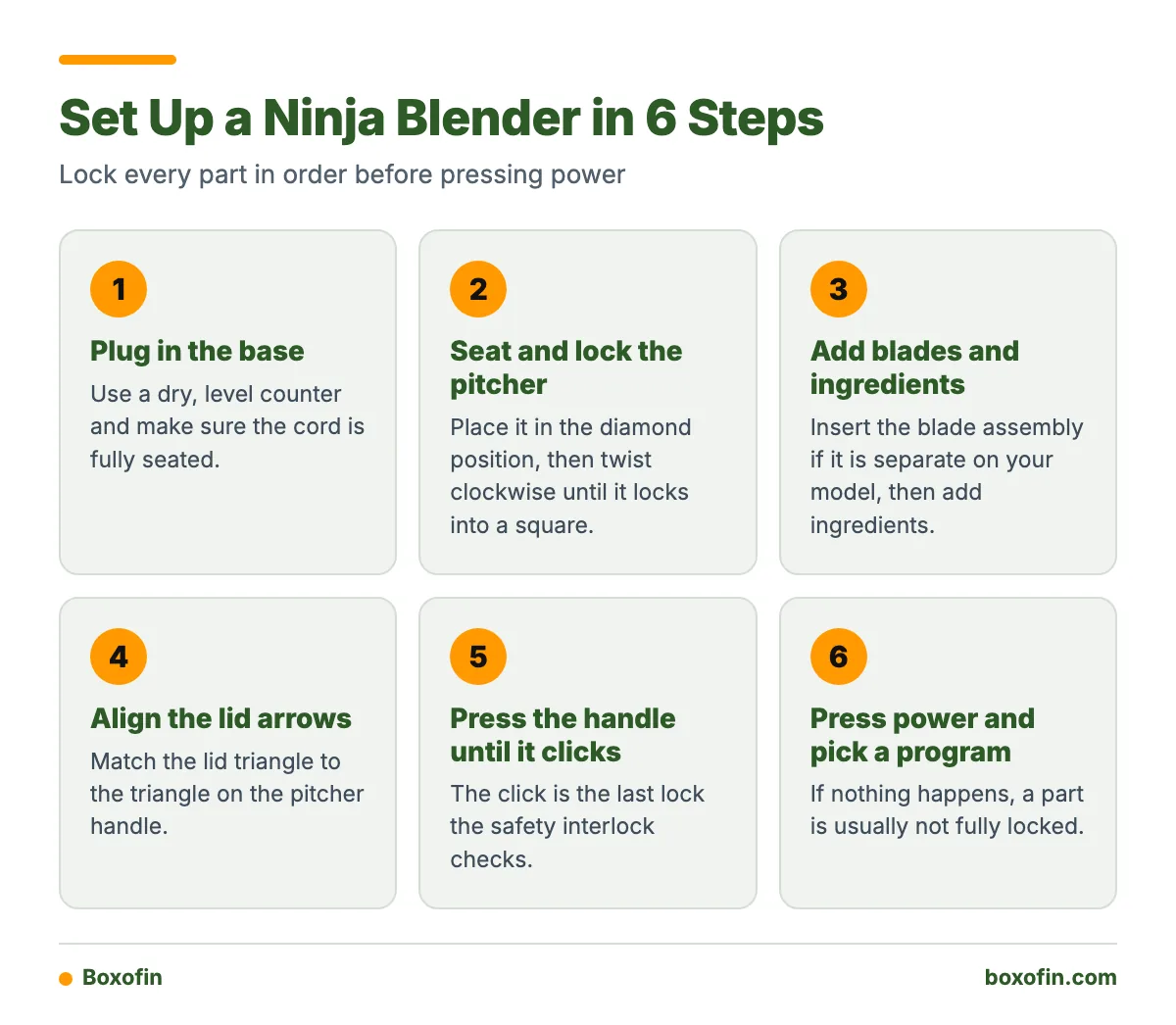
One-Minute Startup Checklist
- Plug in the base on a dry, level counter.
- Seat the pitcher on the base in the diamond position.
- Twist clockwise until it locks into a square.
- Insert the blade assembly into the pitcher, if it is a separate piece on your model.
- Add ingredients.
- Align the lid arrows. The lid triangle meets the triangle on the pitcher handle.
- Press the handle down until it clicks.
- Press power and pick a program.

Which Way Should the Ninja Pitcher Face on the Motor Base?
On Ninja Professional models, the pitcher commonly sits on the base in a diamond orientation. You then twist it clockwise until it forms a square and locks, according to Ninja’s support FAQs. On several Professional models, the handle should face you or sit on the right side before you lock it.
The base may not run unless the container is installed correctly. If the pitcher sits flat but the blender stays silent, it is probably resting in the diamond position without the full clockwise turn. Turn it until it stops.
For the lid, find the triangle on the lid and the triangle on the pitcher handle. Line them up, set the lid down, and press the handle until it clicks. Ninja’s BL610 Series FAQs are a good place to confirm the steps for that series.
Model Differences at a Glance
Do not assume one Ninja works like another. The table shows what to check on each type. Where details vary, the manual for your model number decides.
| Model type | Pitcher or cup position | Locking sign | Lid alignment | Startup signal |
|---|---|---|---|---|
| Professional | Diamond on base, handle toward you or on the right on several models | Twist clockwise to a square | Lid triangle to handle triangle, handle clicks down | May not run until the pitcher is seated |
| Professional Plus | Check the manual for your model | Pitcher and lid may both need to lock | Check the manual; arrows and click are common | Some models need both locked before the ready indicator becomes active |
| Personal-cup systems | Cup attaches to the base per its own instructions | Cup must seat fully on the base | Uses a blade lid or cup lid, not a pitcher lid | Check the manual for the light or button behavior |
How Do I Get My Ninja Blender to Work?
Lock everything, then press power and choose a program. If nothing happens, the cause is almost always assembly, not the motor. Use the checklist above in the same order, and press each lock firmly.
Pick the program that fits the job. Use a single-serve or smoothie setting for drinks. Use pulse for short control bursts when chopping. Ninja models use safety interlocks, so a half-seated lid can make the buttons seem dead.
Worked Example: A Smoothie From Start to Finish
- Plug in the base. Seat the pitcher in the diamond position and twist clockwise to a square.
- Check that the blade assembly sits on its shaft.
- Add liquid first. Add soft fruit and yogurt next. Put ice and frozen pieces on top. This keeps the blades from jamming on a hard block at the bottom.
- Keep the contents below the max fill line on the pitcher.
- Match the lid triangle to the handle triangle. Press the handle until it clicks.
- Press power and pick the smoothie or blend program.
- When the drink looks smooth, pause or cancel the program.
- Wait until the blades stop completely. Unplug the cord, then twist the pitcher counterclockwise to remove it.

Troubleshooting Common Problems
Use this table to match what you see to the likely fix. It separates a blender that cannot start from one that starts but blends poorly.
| Symptom | Likely cause | Fix |
|---|---|---|
| No power, no lights | Cord not seated or dead outlet | Reseat the plug and test another outlet |
| Ready light absent or flashing | Pitcher or lid not fully locked | Remove the lid, twist the pitcher to the square, and close the lid until it clicks |
| Lid will not lock | Triangles not aligned | Lift the lid, match the triangles, press the handle down |
| Pitcher stuck on base | Not unplugged, or twisted the wrong way | Unplug, wait for the blades to stop, twist counterclockwise |
| Motor runs but food stays put | Overloaded pitcher or ingredients packed on the blades | Stop, unplug, remove the lid, and rearrange |
Why Is My Ninja Blender Not Turning On?
First confirm the cord is fully in the base and the outlet works. Then restart the lock sequence from the beginning. If the pitcher is in the diamond position or the lid has not clicked, the interlock will keep the motor off. If every lock is correct and there is still no response, contact Ninja Product Support.
Why Isn’t My Ninja Blender Blending?
If the motor runs but the food does not move, the blades are usually blocked, not broken. This is different from a blender that will not start. A motor that cannot start points to the interlock. A motor that hums without results points to loading.
- Too full or too dry. Add liquid so the blades can pull ingredients down.
- Ice or frozen fruit packed at the bottom. Put liquid and soft items under the hard pieces.
- Air pocket around the blades. Stop, unplug, remove the lid, and push food down with a spatula. Never use a hand near the blades.
- Blade assembly not seated. Check that the stacked blades sit properly on the shaft.
- Dull blades. Some owners report blades losing bite after a short time.
- If the motor does not start, check the pitcher lock and lid click.
- If the motor starts but food does not move, stop, unplug, and add liquid or reload.
- If it still fails, check the blade assembly, then contact Ninja support.
Why Is My Blender Not Opening?
The lid or pitcher will not release when the interlock is still engaged or when you turn in the wrong direction. Pause or cancel the program, wait until the blades stop completely, unplug the cord, and then twist the pitcher counterclockwise to unlock it.
For the lid, lift the handle first. The handle is the lid lock on Professional pitchers, so it has to come up before the lid will lift. Do not pry with a knife or force the pitcher. Steam or suction from hot or thick contents can also hold the lid, so give the pitcher a minute to settle first.
How Do I Safely Stop, Remove, and Clean the Pitcher?
Stop the program, wait for the blades to stop completely, remove the pitcher, and unplug the cord. Ninja’s guidance is to do these steps in that order. Unplugging first removes any chance of an accidental start while your hands are near the blades.
- Take the blade assembly out by its center shaft, not the sharp edges.
- Wash the pitcher, lid, and blades per your manual. Check whether your model’s parts are top-rack dishwasher safe before using the dishwasher.
- Use a long brush for the stacked blades. Soapy water and a quick pulse can also loosen residue, but only with the lid locked.
- Wipe the motor base with a damp cloth. Do not put the base in water.
How Do I Register My Ninja Blender?
Go to registeryourninja.com, which at least one Ninja FAQ points owners to for product registration. Have your model number and purchase details ready. Registration helps with support, and the Ninja Product Support area also holds manuals, troubleshooting steps, and FAQs. Search by model number there to avoid using the wrong instructions.
What do owners say?
Owners like
- Some owners report long service life, including frequent use over many years.
- The strong motor and effective smoothie blending get regular praise.
- The pitcher-and-lid locking system feels easy once the alignment is understood.
Common complaints
- Some owners say blades become dull or less effective after fairly short use.
- Cleaning the stacked blade assembly and attached accessories can be cumbersome.
- Accessory bowls or food-processor attachments sometimes fail before the motor base.
- Noise is a recurring complaint, especially after extended ownership.
Summarised from owner reviews and long-term user reports; individual experiences vary.
Frequently Asked Questions
How to set up Ninja blender?
Plug in the base, seat the pitcher in the diamond position, and twist it clockwise until it locks. Install the blade assembly, add ingredients, align the lid and handle triangles, and press the handle until it clicks. Then press power.
How to set up Ninja Professional blender?
The steps are the same as above. On several Professional models, the handle should face you or sit on the right before you lock the pitcher. Check the FAQ for your series, such as the CT610 Series.
How to get Ninja blender to work?
Check each lock in order: cord, pitcher, blades, lid, handle click. Then press power. If it still does not start, the interlock is likely not satisfied, so remove the lid and reseat the pitcher.
Set up Ninja blender: do I need to wash it first?
Yes. Wash the pitcher, lid, and blades before the first blend, and keep the motor base dry. Handle the blades by the center shaft.
Why isn’t my Ninja blender blending?
If the motor runs but food does not move, the pitcher is probably overloaded or the ingredients are packed on the blades. Stop, unplug, remove the lid, add liquid, and reload with liquids at the bottom and ice on top.
Why is my blender not opening?
Stop the program, wait for the blades to stop, and unplug the cord. Lift the handle to free the lid, and twist the pitcher counterclockwise to release it from the base. Do not force it.
How to register Ninja blender?
Visit registeryourninja.com and enter your model number and purchase details. For manuals and troubleshooting, use Ninja’s support area.
Sources