To open a Ninja blender lid, stop the blender, wait for the blades to stop fully, press the RELEASE button on top of the lid, and lift the handle. If the lid will not budge, the cause is usually dried food, suction, or a misaligned latch. Force is not the fix.
Quick answer
Unplug the blender, press RELEASE, and lift the handle. To close, line up the triangle marks and press down until it clicks. If the lid is stuck, loosen residue and let air in. Never pry it with a knife.
- Press RELEASE on top of the lid and lift the handle on most pitcher models.
- Lid styles differ: pitcher lids, personal cups, center caps and feed-chute lids each open differently.
- A lid that is not aligned and clicked in can stop some Ninja models from powering on.
- Stuck lids are usually residue or suction. Soften, vent, and lift gently.
- A cracked lid or a latch that will not click needs replacing, not more force.
- How do you open a Ninja blender lid?
- Which lid style do you have?
- How do you open a Ninja blender lid when it is stuck?
- Can you open a Ninja blender lid while it is running?
- How do you close a Ninja blender lid correctly?
- Why won’t my Ninja blender lid open or latch?
- When should you replace the lid or pitcher?
- What do owners say?
- Frequently Asked Questions
How do you open a Ninja blender lid?
Stop the blender, unplug it, and wait until the blades stop spinning. Then press the RELEASE button on top of the lid and lift the handle. Ninja’s BL610 series FAQ describes this exact step: press RELEASE on top and lift the handle.
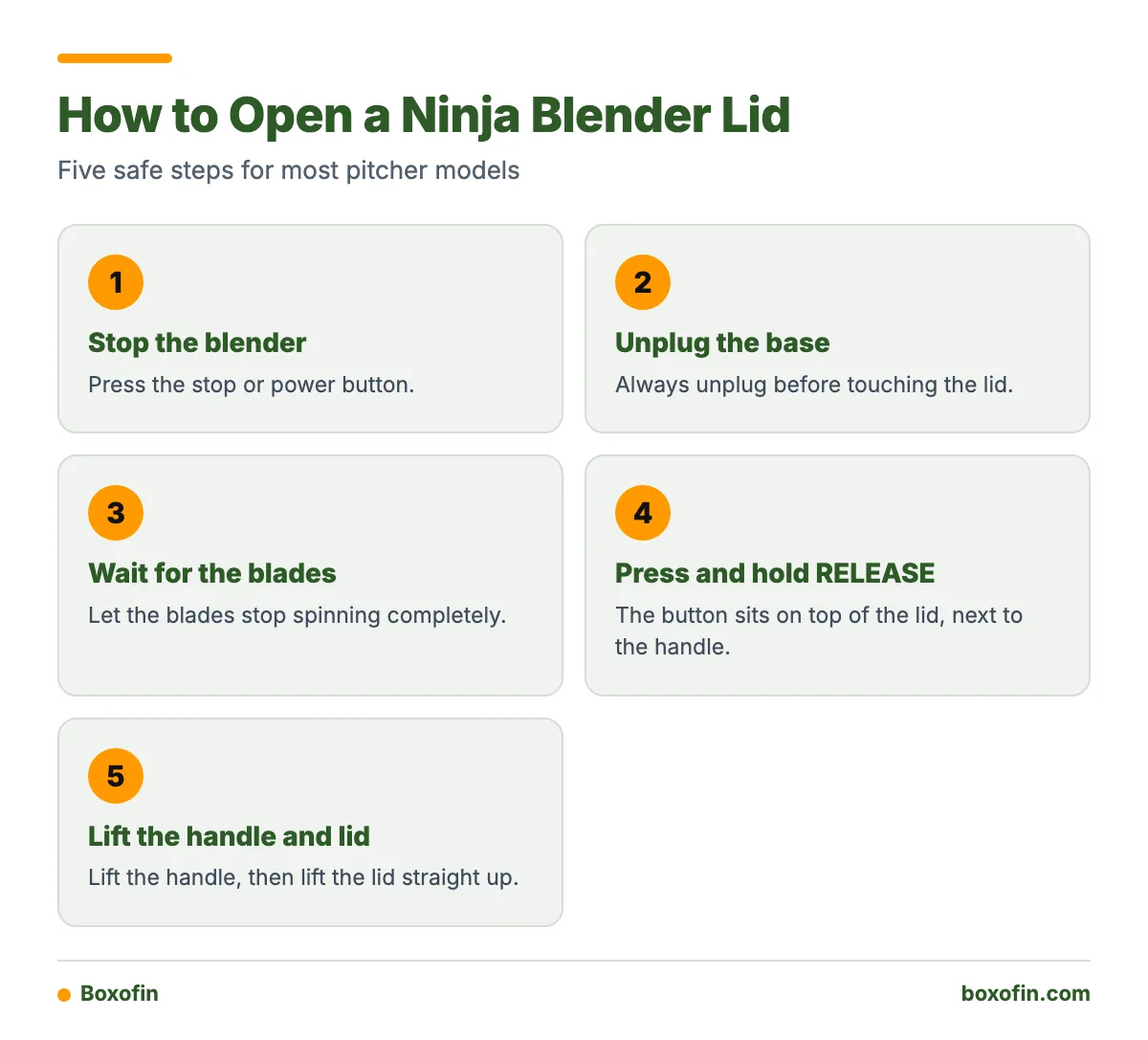
- Press the stop or power button.
- Unplug the base.
- Wait for the blades to stop completely.
- Press and hold RELEASE with your thumb.
- Lift the handle, then lift the lid straight up.
Where is the RELEASE button? It sits on top of the lid, next to the handle, where your thumb naturally rests.
Which lid style do you have?
Not every Ninja lid opens the same way. Generic advice often mixes them up, so match your lid to this table first.
| Lid style | How it opens | Source or note |
|---|---|---|
| Full pitcher lid (BL610, CO610B) | Press RELEASE, lift handle | Ninja FAQs for these models |
| Detect series lid (TB200/TB300/TB400) | Press RELEASE while lifting handle | Must click into place before use |
| Feed-chute lid (CT641) | Press release, twist counterclockwise, lift | Ninja CT641 FAQ |
| Personal-cup lid | Usually twists or pulls off the cup | Check your guide |
| Hot-and-cold lid (HB100/HB150) | Release only when contents are cool and the program is paused or done | A lid warning means it is not locked |
How do you open the top or center cap on a Ninja blender?
If your lid has a small cap or feed chute, it opens separately from the main lid. On the CT641, Ninja says to press the release button, twist the lid counterclockwise, and lift it. Other models vary, so check the guide before you twist anything.

How do you open a Ninja blender lid when it is stuck?
Unplug the blender, let it sit for a minute, then press RELEASE and lift the handle slowly. Most stuck lids come from dried smoothie residue or suction after blending. Patience works better than muscle.
- Still running? Stop it and unplug it first.
- Hot contents? Wait until they cool. Pressure can push the lid up.
- Visible residue? Wipe around the edge with a warm, damp cloth and wait a minute.
- Suction? Wait, then lift one side slowly so air can get in.
- Marks misaligned? Press the lid down and realign the triangles.
- Latch damaged? Stop and see the replacement section.
How do you release pressure or suction from a stuck lid?
Let the blender rest so the contents settle. Press RELEASE and lift the handle a little at a time. A slow lift lets air slip under the seal. Warm (not hot) water on the outside of the lid can soften sticky residue around the edge.
- Do unplug the base and wait for the blades to stop.
- Do cool hot contents before you troubleshoot.
- Don’t pry with knives or tools.
- Don’t force a hot or pressurized lid.
Can you open a Ninja blender lid while it is running?
No. Stop the blender and wait for the blades to stop first. Spinning blades can cause serious cuts and throw food out of the pitcher. Some hot-and-cold models, such as the HB100/HB150, may pause when the lid is removed during a program. Check your model’s FAQ rather than relying on that pause.
How do you close a Ninja blender lid correctly?
Line up the triangle on the lid with the triangle on the pitcher handle, then press the handle down until it clicks. Ninja’s CO610B FAQ gives these steps. The CT610 uses matching arrows instead of triangles.
Worked example: clean a sticky latch and relatch
- Unplug the base.
- Wipe the handle, seal and locking tabs with a damp cloth. Dried smoothie often hides there.
- Dry the parts.
- Match the triangles (or arrows) on the lid and handle.
- Press down until you hear a click.
- Plug in the base and run a short test with the pitcher empty or lightly filled with water.

Why won’t my Ninja blender lid open or latch?
The usual causes are residue, suction, misaligned markers, or a worn latch. Ninja says an incorrectly assembled lid prevents some models from powering on. If the blender is dead, check the lid before anything else. On Detect series blenders, the lid must click into place before operation. A warning on a hot-and-cold model means the lid is not locked.
Hot contents add another risk. Let them cool before you open the lid, and keep your face away from the opening.
When should you replace the lid or pitcher?
Replace the part when cleaning and realigning do not fix it. Signs include:
- Cracks in the lid or handle.
- A latch that will not click or will not hold.
- A seal that is warped, torn, or leaks.
- A lid that no longer lines up with the markers.
Use a lid made for your exact model. A lid that looks similar may not lock or trip the safety interlock. Find the model number on the base before you order.
What do owners say?
Owners like
- The release button and handle are straightforward when the lid is clean and aligned.
- Safety interlocks stop the blender if the lid is not installed correctly.
- Some find the lids easy to remove and clean during routine smoothie use.
Common complaints
- Sticky smoothie residue makes the lid hard to reopen or relatch.
- Suction or a vacuum-like grip after blending.
- Lids or caps stop screwing on or latching after extended use.
- Replacement lids can be hard to identify or find for the exact model.
- Leaks when the lid is not tightened or latched correctly.
Summarised from owner reviews and long-term user reports; individual experiences vary.
Frequently Asked Questions
How to open Ninja blender lid?
Stop the blender, unplug it, and wait for the blades to stop. Press RELEASE on top of the lid and lift the handle.
How to open Ninja blender lid stuck?
Wait a minute, wipe away dried residue with a damp cloth, then press RELEASE and lift slowly so air can get in. Do not pry with tools.
How to open Ninja blender top?
If your model has a center cap or feed chute, it opens separately. On the CT641, press release, twist counterclockwise, and lift. Check your guide for other models.
Can’t open blender lid. What should I do?
Unplug it, let hot contents cool, and clean around the edge. Check that the triangles are aligned. If the latch is cracked or broken, replace the lid.
Ninja blender lid won’t open. Why?
Dried food, suction, or a misaligned lid is the usual cause. Soften the residue and lift slowly. Never force it.
How to close Ninja blender lid?
Match the triangle on the lid to the triangle on the pitcher handle, then press the handle down until it clicks. The CT610 uses arrows instead.
How to open a blender lid?
Most blender lids open by a release button, a twist, or a pull. On Ninja pitchers, press RELEASE and lift the handle.
Sources