The most common causes for a Ninja blender not turning on are a faulty wall outlet, an incorrectly seated container or lid, a depleted portable battery, a blocked blade, or motor overheating. To fix the issue safely, unplug the blender, verify the wall outlet has power, lock the vessel and lid into place until they click, and let an overheated unit cool down for at least 15 minutes. If there is still no light or response after these checks, the control panel or motor has likely failed.
Quick answer
If your Ninja blender refuses to turn on, first confirm the power outlet works by plugging in a lamp. Next, ensure the pitcher, cup, and lid are twisted completely into the locked position, as built-in safety switches will block power if they are loose. For portable models, recharge the unit completely using the factory cord. If the blender stays completely unresponsive after a 15-minute cooldown, stop using it.
- Always test the wall outlet with another appliance to rule out a tripped breaker.
- Countertop blenders will remain totally dead if the lid or pitcher is not clicked firmly into the locked position.
- A warm blender must cool for at least 15 minutes to reset the internal thermal fuse.
- Portable Ninja Blast models require specific chargers and will flash red when the battery is completely depleted.
- Why is my Ninja blender not turning on when plugged in?
- Could the blender cup or lid be installed incorrectly?
- What do Ninja blender flashing lights or an INSTALL message mean?
- What should I do if the Ninja blender motor overheated?
- Can a jammed blade prevent a Ninja blender from starting?
- Why is my portable Ninja Blast blender not charging or powering on?
- Worked Example: Diagnosing a dead control panel
- When should I stop troubleshooting and contact Ninja or replace the blender?
- What do owners say?
- Frequently Asked Questions
Why is my Ninja blender not turning on when plugged in?
A blender that is plugged in but remains unresponsive usually suffers from a lack of wall power, an open safety switch, or a triggered thermal fuse. Start your diagnosis with a basic five-minute checklist to isolate the exact cause quickly.
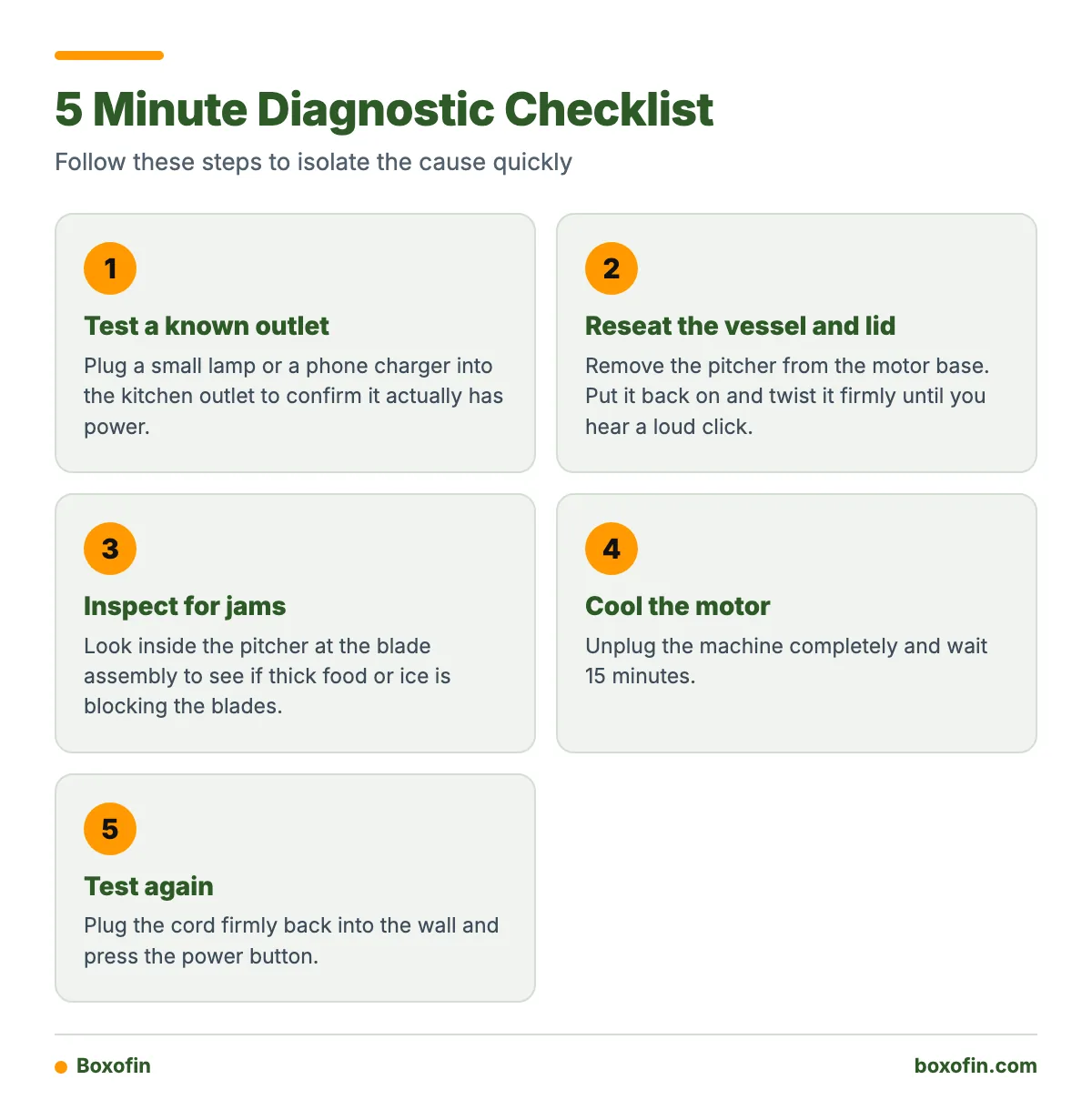
Five-minute diagnostic checklist:
- Test a known-good outlet: Plug a small lamp or a phone charger into the kitchen outlet to confirm it actually has power.
- Reseat the vessel and lid: Remove the pitcher from the motor base. Put it back on and twist it firmly until you hear a loud click.
- Inspect for jams: Look inside the pitcher at the blade assembly to see if thick food or ice is blocking the blades.
- Cool the motor: Unplug the machine completely and wait 15 minutes.
- Test again: Plug the cord firmly back into the wall and press the power button.
Diagnostic Logic
- If no lights turn on at all: Check the wall outlet, the power cord, and the thermal cooldown time.
- If the power lights turn on but blink: Check the pitcher and lid locking mechanisms.
- If the blender stops mid-cycle: Let the motor base cool down immediately.
Could the blender cup or lid be installed incorrectly?
Yes. Improper assembly is the most frequent reason a working blender refuses to turn on. According to the manufacturer, Ninja countertop models commonly require the container to be correctly installed and the lid locked before the motor will power on.
The blender base contains hidden physical safety switches. When you twist the pitcher into the base, plastic tabs push down on these internal switches. If the pitcher is loose, twisted backward, or not pressed down far enough, the switches stay open. When the switches are open, the control board cuts all electricity to the motor to prevent you from touching a spinning blade.
What do Ninja blender flashing lights or an INSTALL message mean?
Error lights communicate what the internal computer sees wrong with the machine. Some models indicate an incorrectly installed pitcher with a blinking power button or an INSTALL message on the digital screen. Paying attention to these lights saves you from discarding a healthy blender.

Use this symptom-to-fix table to decode common Ninja error indicators:
| Symptom | Meaning | How to Fix |
|---|---|---|
| No lights illuminated | No power reaching the control board | Check the wall outlet, inspect the power cord, and let the motor cool. |
| Blinking power button | Pitcher or lid is not locked | Remove the pitcher and lid. Reinstall them until they click firmly. |
| INSTALL message | Vessel is not seated properly | Align the container tabs with the base slots and twist clockwise. |
| Flashing red light | Battery has no charge (Blast Max models) | Charge the battery for up to 3 hours using the supplied cord. |
| Flashing red and green | Incorrect charger used (Blast Max models) | Switch to the factory-supplied charging cable. |
| E1 error code | Motor is overloaded or jammed | Remove thick ingredients, add liquid, and clear the blades. |
From the Shop
From what we’ve seen on the bench, over half of “dead” Ninja countertop blenders simply have a sticky safety interlock switch. Sticky smoothie residue frequently spills down the outside of the pitcher and dries inside the locking slots on the base. Cleaning those base slots with a damp cotton swab often un-sticks the plungers and restores normal operation instantly.
What should I do if the Ninja blender motor overheated?
Heavy blending tasks, like crushing dense ice or kneading dough, create intense heat. Some Ninja models can overheat when run for more than 2 minutes within a brief period. To prevent electrical fires, the blender contains a thermal fuse that completely cuts power when temperatures rise too high.
Ninja advises unplugging certain overheated units and allowing them to cool for 15 minutes before restarting. Move the blender base away from hot appliances, such as ovens or coffee makers, during this cooling time. Do not attempt to run the blender again until the base feels entirely cool to the touch.
Can a jammed blade prevent a Ninja blender from starting?
Yes, a jammed blade will prevent a successful start. If the motor tries to spin but physical resistance holds the blade still, the control board will immediately shut off power to avoid burning out the motor windings.
Large chunks of frozen fruit, solid ice cubes, or very little liquid cause most jams. If you suspect a blockage, unplug the machine from the wall. Take the pitcher off the base and use a long wooden spoon to dislodge the stuck food. Add water or juice to the mixture so the blades can rotate freely, then try again.
Why is my portable Ninja Blast blender not charging or powering on?
Portable blenders operate on internal batteries, which changes how you troubleshoot a failure to start. If the internal battery is empty or confused by the wrong charging cable, the blender will not spin.
According to manufacturer specifications, the original Ninja Blast may take up to 2 hours to charge and specifies a 5V 3A power supply. A Ninja Blast Max battery may take up to 3 hours to fully charge. A Ninja Blast Max flashing red power icon indicates that the battery has no remaining charge.

Compare how power failures look between countertop and portable units in the table below:
| Feature | Countertop Ninja Blenders | Ninja Blast Portable Blenders |
|---|---|---|
| Power Source | 120V Wall Outlet | Internal Rechargeable Battery |
| Fully Dead Symptom | No lights on display | No lights or flashing red light |
| Overload Symptom | Motor stops completely | Blades stop, lights may flash |
| Reset Steps | Unplug for 15 minutes | Charge fully, hold power button |
For the Ninja Blast Max, a flashing red-and-green charging light can indicate use of an incorrect charger; Ninja recommends the supplied charger to clear this fault.
Worked Example: Diagnosing a plugged-in blender with no illuminated power button
Here is how to apply diagnostic logic to a countertop blender that is plugged in but acts entirely dead.
- Step 1: Check the outlet. You plug a toaster into the outlet. The toaster works. The outlet is fine.
- Step 2: Inspect the cord. You look closely at the blender’s power plug. The prongs are straight, and the wire is not cut.
- Step 3: Test the interlocks. You place the pitcher on the base and twist it hard. It clicks loudly. You lock the lid down flat, making sure the arrows line up perfectly.
- Step 4: Check for heat. You touch the base. It is completely cold, ruling out the thermal overload switch.
- The conclusion: Because the outlet works, the machine is assembled properly, and the motor is cold, the lack of a power light proves a hardware failure. The internal control panel is dead and requires replacement.
When should I stop troubleshooting and contact Ninja or replace the blender?
Stop troubleshooting immediately if you see sparks, smell burning plastic, or notice exposed wires on the power cord. Do not attempt to open the motor base housing yourself; there are no user-serviceable parts inside, and opening it exposes you to serious shock hazards.
If your blender fails all the diagnostic checks above, and it is past its one-year warranty period, you likely need a new machine. Compare the cost of ordering a replacement motor base directly from Ninja to the price of buying a brand-new blender. Often, a complete new unit makes better financial sense.
What do owners say?
Owners like
- Many owners report reliable everyday performance over several years when the blender is used and assembled correctly.
- Owners often value the strong motor and effective blending on lower settings.
- Users commonly appreciate that the safety interlock prevents operation when the vessel or lid is not secured.
Common complaints
- Some owners report that the control panel stops responding after months or years of use.
- Recurring reports describe motors becoming louder, weaker, or sluggish before complete failure.
- Some owners find that the blender will not start until the cup, pitcher, and lid are aligned precisely.
- Portable-model owners report charging problems when using an incompatible charger or when the battery is fully depleted.
Summarised from owner reviews and long-term user reports; individual experiences vary.
Frequently Asked Questions
how to fix ninja blender not turning on?
To fix a Ninja blender that refuses to start, unplug it from the wall and verify the outlet has power. Reinstall the pitcher and the lid, ensuring both snap firmly into their locked positions. If the motor is warm, let it cool for at least 15 minutes before plugging it back in.
ninja blender not turning on when plugged in?
When a blender is plugged in but stays off, the built-in safety switches are usually blocking power. The handle must be locked flat, and the arrows on the lid must point directly to the arrows on the pitcher. If the machine is assembled perfectly and still fails, the internal control board is likely dead.
why is ninja blender not working?
A Ninja blender stops working due to loose lids, stuck blades, overheated motors, or tripped wall outlets. Check for blinking lights on the display. Blinking lights mean the machine detects a loose part, while a completely dark display points to a power failure.
why is ninja blender not turning on?
It will not turn on if the thermal fuse has tripped from heavy blending. It will also refuse to start if the lid handle is sticking up. Ensure the pitcher clicks tightly onto the base, lock the lid flat, and test the electrical outlet with another device.
ninja blender not turning on reddit?
Discussions on Reddit frequently point to sticky safety switches inside the base. Users report that dried liquid gets inside the small slots where the pitcher tabs sit, freezing the switches in place. Cleaning these slots with a damp cotton swab often resolves the issue.
Sources