
This guide is for Ninja owners who lost the box and manual and now need the exact model name. Look for the model number on the rating label on the back or bottom of the blender base, then use it to find your manual, parts, and support page.
Quick answer
Turn the base over and read the rating label. The model number is a short code such as HB100, CT650, CO750B, BR201, or BL687CO. Ninja also prints it near the barcode on the original box and on the manual’s front cover.
- Best for a lost box: check the base label first
- Best for a worn label: use your purchase record
- The model number is on the base label, the box, or the manual cover.
- The model number is not the serial number or the wattage rating.
- Ninja blenders that look alike can use different pitchers and blades.
- Check the exact code before you buy any part.
- Where is the model number on my Ninja blender?
- Model number, serial number, or rating?
- What do the letters and numbers mean?
- Which Ninja family do I have?
- How do I identify my Ninja blender without the box or manual?
- How do I find the correct Ninja manual?
- How do I know which replacement part fits?
- What to record before contacting support
- Frequently Asked Questions
Where is the model number on my Ninja blender?
Ninja says the model number is on the rating label on the back or bottom of the main unit. It also appears on the bottom of the original box near the barcode, and on the front cover of the instruction booklet.
Use this checklist in order:
| Where to look | What you will see | Good to know |
|---|---|---|
| Base label (back or bottom) | Model number, electrical rating, serial info | Best source. It stays with the machine. |
| Original box, near the barcode | Model number printed on the bottom | Only helps if you kept the box. |
| Manual front cover | Model number on the booklet | Check that the manual matches your unit. |
| Purchase record | Product name and sometimes the code | Check emails, receipts, and order history. |
Model number, serial number, or rating?
The rating label holds several codes, and people often copy the wrong one. The model number is the short product code that names the blender. The serial number is longer and belongs to your single unit. The rating information lists electrical details such as voltage and watts.
Parts and manuals are matched to the model number. Support may ask for the serial number later, but it will not find your manual. Do not search with the wattage alone, because different Ninja models can share similar power ratings.
What do the letters and numbers in a Ninja model number mean?
Ninja does not publish a simple decoder in the sources used here, so treat the code as a product ID, not a formula. The leading letters tend to group products by line. Examples include HB100, CT650, CO750B, BR201, and BL687CO.
Letters at the end, such as the “AMZ” in BR201AMZ, may point to a version, color, or retailer. Do not drop them when searching. Ninja lists the BR200 series as the Professional Blender 2.0, so the number alone gets you to the family, while the full code narrows the exact unit.
How can I tell whether I have a Professional, Nutri Ninja, Foodi, Blast, or SmoothieIQ blender?
Match your model code to a family first. Then use the look of the machine as a second check.
| Family | Example code | What Ninja calls it | Clue to check |
|---|---|---|---|
| Professional | BR201AMZ (BR200 series) | Professional Blender 2.0 | Full-size pitcher on a base |
| Nutri Ninja | BL687CO | Nutri Ninja Blender System with Auto-iQ | Single-serve cups, Auto-iQ labels |
| Foodi | HB100 | Foodi Cold & Hot Blender | Hot and cold settings |
| SmoothieIQ | CO750B | SmoothieIQ Blender | Look for SmoothieIQ branding |
| Smart Screen | CT650 | Smart Screen Blender | A display screen on the base |
| Blast | Check your label | Portable blender | Small, cordless-style body |
I have no verified model code for Blast units here, so rely on your own label for those.

How do I identify my Ninja blender without the box or manual?
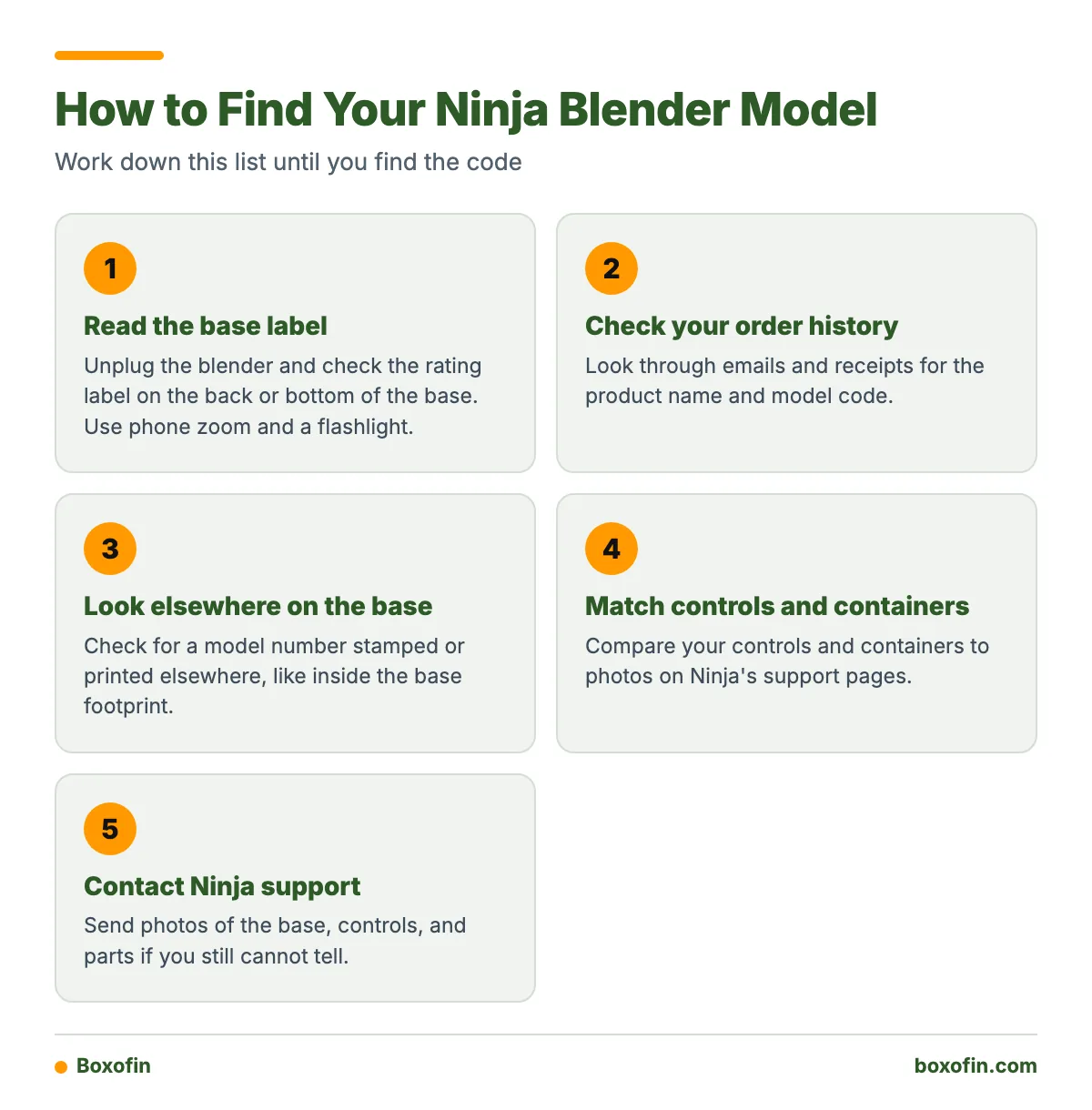
Read the base label, and if it is gone, work from the controls, containers, and blade assembly. Visual clues narrow the family but rarely prove the exact model.
Can I identify my Ninja blender by its buttons, pitcher, cups, or blade assembly?
Partly. Use these clues:
- Controls: a screen suggests Smart Screen. Hot and cold settings suggest Foodi. Auto-iQ marks point to Nutri Ninja.
- Containers: a large pitcher points toward Professional. Single-serve cups point toward Nutri Ninja or similar systems.
- Blade assembly: look at its shape and how many blades it has. Compare it to photos of the same part on Ninja’s support pages.
- Branding: check the lid, base, and cups for printed names.
What should I do if the model number label is missing or unreadable?
Try this fallback order:
- Check your order history or email receipt for the product name and code.
- Look for a model number stamped or printed elsewhere on the base, like inside the base footprint.
- Match the controls and containers to photos on Ninja’s support pages.
- Contact Ninja support with photos of the base, controls, and parts.
How do I find the correct Ninja manual using the model number?
Search Ninja’s support site with the full model number, then open the owner’s guide that matches it. Here is a worked example.
Example: Your label says HB100.
- Search “HB100” on support.ninjakitchen.com.
- Ninja identifies HB100 as the Foodi Cold & Hot Blender. Open the HB100 owner’s guide.
- Confirm the pictured pitcher and controls match yours.
The same steps work for other codes. Ninja lists the CO750B SmoothieIQ owner’s guide and the BR200 series Professional Blender 2.0 guide. For a CT650, Ninja has a page of Smart Screen Blender FAQs.
How do I know which replacement pitcher, lid, blade, or cup fits my Ninja blender?
Start with your exact model code, then confirm the part listing names that same code. A part sold for a “Ninja blender” may fit only certain series.
Before you pay, check each item:
- Exact model code: including any letters at the end.
- Series or family: Professional, Nutri Ninja, Foodi, and so on.
- Container type: full pitcher, single-serve cup, or other.
- Blade type: compare the shape with your current assembly.
- Voltage: match the rating on your base label.

What to record before contacting support
Write down or photograph these items so the agent can help fast:
- The full model number from the base label.
- The serial number, kept separate from the model.
- Where and when you bought it, plus the receipt if you have it.
- Photos of the base, controls, and any broken part.
- A short note on the problem.
Frequently Asked Questions
Where is the model number on my Ninja blender?
Check the rating label on the back or bottom of the main unit. Ninja also prints it on the bottom of the original box near the barcode and on the front cover of the instruction booklet.
How do I identify my Ninja blender without the box or manual?
Read the base label first. If it is unreadable, check order emails, then compare the controls, containers, and blade assembly with photos on Ninja’s support pages. Contact support with photos if you still cannot tell.
Is the model number the same as the serial number?
No. The model number names the product line and version. The serial number identifies your single unit. Use the model number to find manuals and parts.
Can I order a part if I only know the family name?
It is risky. Series like Professional or Nutri Ninja include several models, and parts can differ. Confirm the full model code, container type, blade type, and voltage first.
How do I find the correct Ninja manual using the model number?
Enter the full model number in the search box on Ninja’s support site, open the matching owner’s guide, and check that the pictures match your blender.
Sources